top of page

How It Works

Try Me!

Edu-QR serves illustrated consumer-level clinical information

to inform your  patients and save you time and resources.

HOW TO RECEIVE AN EDU-QR eBOOKLET:

shutterstock_patient_getting_QR_for_Link

1. Scan the Code

iPhone Camera will automatically detect QR codes; use Google Lens or a QR Code scanner App to access eBooklets on Android.

Muti-Language screen 11052026.JPG

2. Choose Language

If you have a Multi-Language subscription, the patient selects the language of the eBooklet on their screen, from up to

18 major languages.

image.png

3. Receive

Tap 'Open' to download the eBooklet which can be saved for reviewing at the patient's convenience.
Try the code at the top of this page!
Get the Codes

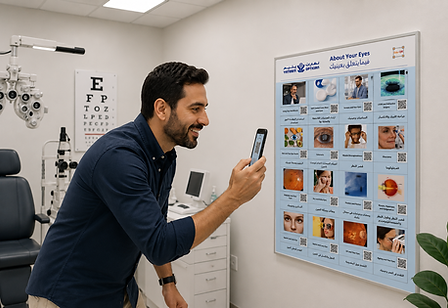
ChatGPT Image May 11, 2026, 12_02_41 PM.png

Poster

Great for easy access - display all topics

on your consulting room wall!

Coming Soon!

Dental QRPage mockup 12062026.png

Desktop

Scan the eBooklet QR code from your office PC or Mac screen.

Content is regularly updated - subscribe now!

Updates

You can relax with Edu-QR; we handle the updates!

eBooklet contents are updated regularly with evidence-based scripts, worded for consumer comprehension, in an increasing number of optional languages!

Check our social media for the latest content updates.

©2023-2026 by Edu-QR.com.

bottom of page
Copyrighted.com Registered & Protected