top of page

How It Works

Try Me!

Edu-QR is a system that serves detailed consumer-level medical information with illustrations to inform patients and save time and physical resources for clinicians.

Patients can receive booklets to their mobile via the following three-step process:

shutterstock_patient_getting_QR_for_Link

Scan the Code

iPhone Camera will automatically detect QR codes - use Google Lens or a QR Code scanner App to access the content on Android.

Choose Language SS.JPG

Choose Language

If Multi-language option is available, the patient can select the language of booklet to download,

from 18 major languages.

image.png

Receive

Tap 'Open' to download the booklet which can be saved as a PDF to open at the patient's convenience.
Try the code at the top of this page!
Modes

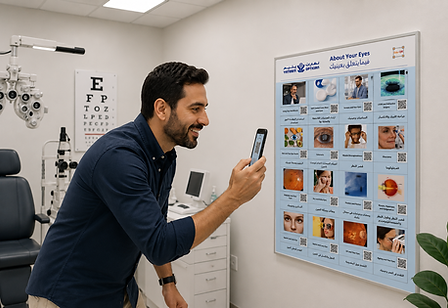
Poster

Great for waiting areas, or display all topics on your consulting room wall

ChatGPT Computer at Dentists Image130120

Desktop

Choose the booklet on your PC or Mac screen. The patient's phone  scans the Code

pink stand_edited_edited.jpg

Desk Chart

Always ready, no need to unlock or close your EMR

Updates

You can relax with Edu-QR; we handle the updates!

Booklets are refreshed annually with updated evidence-based scripts, worded for consumer comprehension.

©2023-2026 by Edu-QR.com. Created with Wix.com

bottom of page
Copyrighted.com Registered & Protected